
MyHeritage: Family Tree & DNA
MyHeritage.comBooks & Reference
4.49.65K Reviews
- Version
- 7.5.44
- Installs
- 10.00M
- Age Rating
- Everyone
Screenshots
Our Review of MyHeritage: Family Tree & DNA
 Analysis by Appyee
A family history project often begins with one question at a shared kitchen table: does anyone remember where this old photograph was taken, or what our great-grandmother’s name was? I like that MyHeritage: Family Tree & DNA gives relatives a way to turn those half-remembered details into something they can explore together. It is a genealogy app from MyHeritage.com, in the Books & Reference category, and its appeal is less about quick answers than about collecting clues, checking them and passing the story along.
One family project, several different users
In a household, the app can work as a prompt for conversation. One person may add names and dates while another recognizes a face in a portrait or remembers a family nickname. A practical way to begin is to ask relatives for a small, specific contribution—one confirmed name, a place, or the back of a photograph—rather than expecting everyone to research an entire branch. That keeps the project approachable and makes it easier to distinguish a memory from a documented fact.
This kind of shared use also benefits from a little care. A family tree can include details people consider personal, and relatives may disagree about what should be recorded or shared. I would talk through those boundaries before adding sensitive stories or inviting others into the project. The app is useful for gathering family history, but it cannot settle questions of consent or decide which information every relative is comfortable making visible.
Set up thoughtfully before the tree grows
It is tempting to enter every name you can remember as soon as you start. I find it more reliable to begin with the people and relationships I can verify, then mark uncertain details in my own notes instead of treating a guess as settled history. When a record suggests a possible connection, compare its names, dates and locations with what your family already knows. A promising match is a lead to investigate, not automatic proof that the person is the right ancestor.
If several people use the same phone or tablet, take a moment to check which account is active before adding information or browsing family material. Shared devices can blur the line between one person’s research and another’s, so signing in and out deliberately is a sensible habit. I would also keep copies of important family notes and original photographs somewhere separate from the app; a genealogy project is valuable enough that it should not depend on a single device or one person’s memory.
A Peek into Your Past
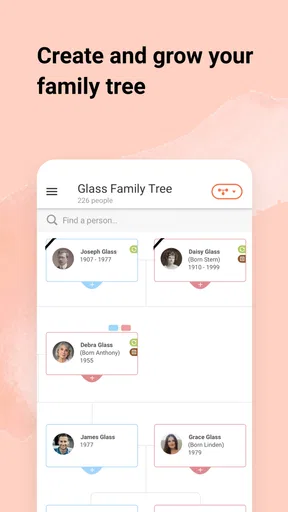
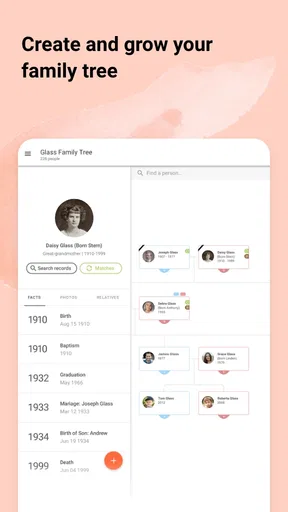
When I first opened the app, I was greeted by a user-friendly interface that made navigating through my family history feel like a breeze. The main feature, the family tree builder, is intuitive and visually appealing. You can start with just a few details about your parents or grandparents, and the app immediately begins to weave together your family story. It's almost like watching a puzzle come together piece by piece.
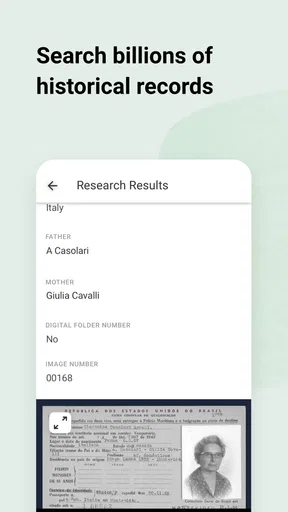
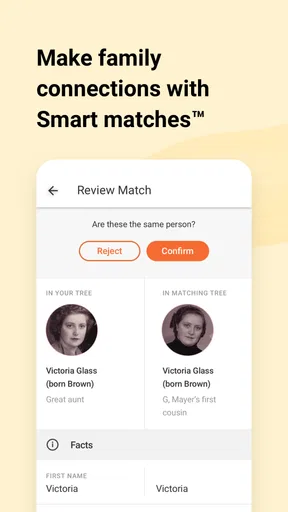
The app utilizes a vast database of historical records, including birth, marriage, and death certificates, to suggest possible connections and relatives. I found myself spending hours adding names, dates, and photos, and I have to admit, it was pretty satisfying to see my family tree grow.
From a promising match to a checked record
For a useful everyday routine, I would make one small research pass at a time: choose a relative, note what is already known, then examine suggested records for details that agree or conflict. Names can appear in different spellings, and family members may share similar names, so a date or location can be just as important as the name itself. Saving the reason you accepted a connection—such as a matching place and family relationship—makes it easier for another relative to follow your reasoning later.
This is where a genealogy app differs from a simple family-tree chart or a folder of scanned documents. A chart is often quicker for displaying relationships you already know, and a personal spreadsheet can be easier to customize. MyHeritage is more useful when you want to build the tree alongside record suggestions and photo tools. The trade-off is that a suggested match still needs human judgment; an app can surface a clue, but it cannot know whether an old record refers to your relative without careful comparison.
The DNA Discovery
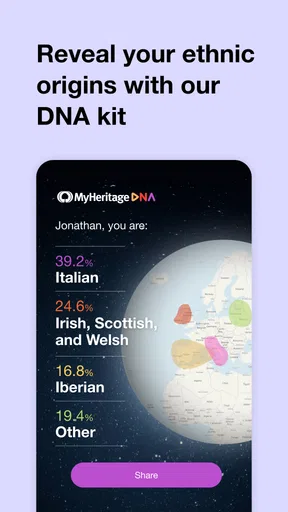
Now, the real magic happens when you decide to take the plunge into DNA testing. MyHeritage: Family Tree & DNA offers an option to order a DNA kit right from the app. I was a bit skeptical at first, but the process was straightforward. You receive a kit, follow the instructions to collect your sample, and send it back. In a few weeks, you get an eye-opening breakdown of your ethnic origins and even potential relatives who share your genetic markers.
For me, the DNA results were a revelation. Seeing the percentages of different ethnicities and learning about regions I never knew I had ties to was fascinating. The app also connects you with other users who share similar DNA, opening up a world of potential cousin connections.
What DNA can—and cannot—settle
I would treat DNA as one research clue, not a complete account of identity or family history. Ethnicity estimates can prompt questions, while shared DNA connections may point toward relatives worth contacting, but neither replaces conversations and records. Before choosing a test, consider whether you are ready to learn unexpected information and whether relatives involved are comfortable with that possibility. DNA discoveries can affect more than the person who ordered a kit, especially when a match raises questions about a family relationship.
For a household deciding whether to try it, the useful question is not simply whether the results sound interesting. Ask what you hope to learn, who will see the results, and how you would handle an unexpected connection. If your main goal is to organize names and photographs, you can make progress with the tree and records without making DNA testing the starting point. That keeps the project focused on the kind of discovery your family is actually ready to pursue.
Interactive Features
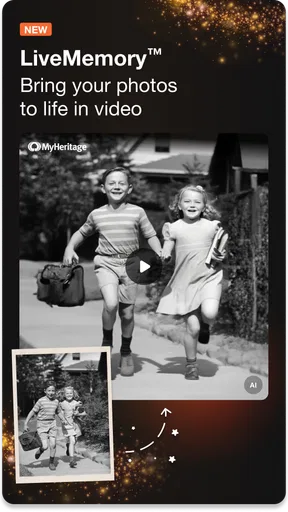
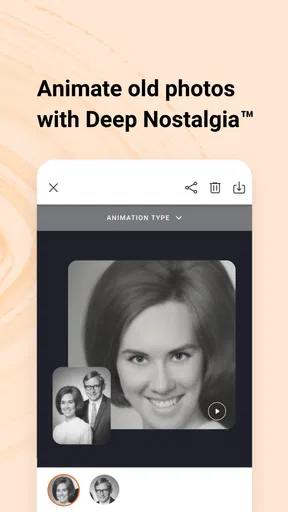
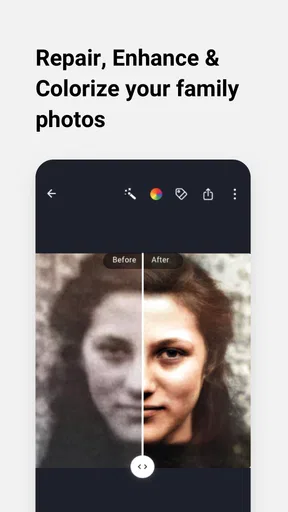
One of the standout features of MyHeritage is the ability to enhance old family photos. I tried it with a few black-and-white family portraits, and the results were nothing short of amazing. The app uses AI to colorize and sharpen photos, bringing them to life in a way that feels like magic. It's a fun and engaging way to preserve memories and share them with family members.
For better results from this part of the experience, I would start with a clear scan or photograph of the original and keep that original untouched. An enhanced image can make a portrait easier to view, but its added color and sharpness are interpretations rather than historical evidence. I find the tool most valuable as a conversation starter: show relatives the image, ask what they remember, and record the names or places they identify before those details are lost.
It is also worth separating photo enjoyment from archival work. If the goal is to preserve a family record, keep the unedited image and any known caption together, then treat an enhanced version as a separate copy. This simple habit avoids confusing a visual restoration with the original appearance and gives future researchers more context. The app makes old pictures engaging, but the family’s own explanation of who is pictured can be just as important as the effect.
Community and Support
The community aspect of MyHeritage is also worth mentioning. There are forums and groups where you can connect with other genealogy enthusiasts, share tips, and even collaborate on building your family tree. The support team is responsive and helpful, which is always a plus when you're embarking on a journey as complex as tracing your ancestry.
Coordination matters when several relatives are contributing. Before anyone adds a branch, agree on a simple convention for uncertain dates or spellings and decide who will check a record before treating it as confirmed. That prevents duplicated effort and makes later corrections less awkward. If a relative prefers not to use the app, they can still help by sharing a family story or identifying people in a picture; participation does not have to mean becoming a researcher.
The app is free to install, though it includes in-app purchases ranging from $0.99 to $699.99 per item, so I would check what a particular purchase covers before committing. Its 4.5 average from around 251,000 ratings and more than 10 million installs suggest that it has reached a broad audience, but those figures do not tell you whether its research style suits your family. The current version is 7.5.5, it requires Android 8.0 or later, and its Everyone age rating makes it broadly accessible; younger users should still have an adult guide them through family information and any DNA-related decisions.
Who will get the most from it?
I think the app is a strong fit for someone who enjoys following historical clues, wants a visual place for a growing family tree, or hopes to make old photos part of a family conversation. It is particularly handy when a relative can contribute details while another person checks records, because the work can turn into a shared project rather than a solitary hunt. It is less suitable for someone who wants a finished, fully verified family history with no research effort, or who would rather keep personal family material offline.
Compared with a paper chart, the app is more convenient for adding people and exploring possible records, but paper can be easier to bring to a gathering and annotate together. Compared with a general photo organizer, its image tools are tied to the broader family-history purpose. And compared with doing genealogy only through records, its tree gives discoveries a visible structure. I would choose based on the task: use it when you want the research and relationships in one place, but prefer a simpler chart or private notes if customization or offline control matters more.
A household verdict
Overall, my experience with this app has been nothing short of enriching. Whether you're a seasoned genealogist or just someone curious about where you come from, MyHeritage: Family Tree & DNA offers a comprehensive and engaging way to explore your roots. It's more than just an app; it's a gateway to understanding who you are and where you belong in the tapestry of history.
So, if you've ever yearned to know more about your family's past or want to connect with distant relatives, give this app a try. Who knows? You might just discover something extraordinary about your lineage.
My recommendation is to begin with a modest family question rather than a sweeping search: identify one person, gather what your relatives know, and see whether the records add useful context. Keep account use deliberate on a shared device, preserve originals, and discuss privacy and DNA choices before turning curiosity into a family-wide project. If that measured approach sounds appealing, MyHeritage can make genealogy feel personal and manageable; if you need a strictly private archive or dislike checking uncertain clues, another method may serve you better.
Verdict
Strengths of MyHeritage: Family Tree & DNA
- Comprehensive genealogical tools.
- User-friendly interface.
- Extensive DNA matching features.
- Global historical records access.
- Regular updates and improvements.
Limitations of MyHeritage: Family Tree & DNA
- Subscription required for full access.
- DNA tests can be expensive.
- Occasional data syncing issues.
- Limited free features.
- Customer support response time.
Similar Picks in This Category
View All
Google Play Books & Audiobooks
Google LLC4.7

네이버 - NAVER
NAVER Corp.3.5

Wattpad - Read & Write Stories
Wattpad.com3.7

King James Bible - Verse+Audio
Ozion4.8

Bible Offline-KJV Holy Bible
Bíblia Offline4.9

Amazon Kindle: Reading App
Amazon Mobile LLC4.8
Frequently Asked Questions
What features does MyHeritage offer for building a family tree?
MyHeritage provides a comprehensive platform for creating and managing family trees. Users can add unlimited family members, attach photos, and include personal details. The app also offers Smart Matches to connect with other family trees, enhancing your genealogical research. Additionally, it supports importing GEDCOM files for seamless integration.
Is MyHeritage DNA testing available through the app?
Yes, MyHeritage offers DNA testing services that can be ordered directly through the app. Once you receive and return your DNA sample, the app provides detailed ethnicity estimates and DNA matches. This feature helps users discover relatives and explore their ancestral origins more deeply.
How secure is my personal information on MyHeritage?
MyHeritage prioritizes user privacy and data security. The app uses stringent encryption protocols to protect personal data, and users have control over what information they share. Additionally, MyHeritage complies with GDPR and other relevant privacy regulations, ensuring your data is handled with care and confidentiality.
Can I use MyHeritage for free, or is there a subscription required?
MyHeritage offers a free plan that allows users to build a basic family tree and use some features. However, to access advanced features like enhanced DNA matching, historical records, and extended family tree capabilities, a subscription is required. There are various plans to choose from based on your research needs.
What kind of support does MyHeritage offer if I encounter issues?
MyHeritage provides extensive support resources, including a detailed FAQ section, community forums, and a help center accessible through the app. For more personalized assistance, users can contact customer support via email or phone. The support team is known for being responsive and helpful in resolving any issues.
